 AquaElectron
What deletion does
Deleting your account permanently removes your profile, aquariums, livestock, equipment, expenses, tasks, parameter records, journal entries, and uploaded images. This cannot be undone.
This is irreversible
There is no grace period, no recovery option, and no way for us to restore a deleted account. Once you confirm, your data is wiped. If there is anything you want to keep, export or save it before deleting.
How to delete your account
- Open AquaElectron and sign in to the account you want to delete.
- Tap your avatar to open your Profile.
- Scroll down and select Delete Account.
- Read the warning, then tick the checkbox: “I understand this action is permanent and I want to delete my account and wipe my data.”
- Type delete account permanently into the confirmation field — it must match exactly.
- Tap Delete Account Permanently. Your account and data are removed immediately.
Good to know
- Backups. Residual copies may persist in encrypted backups for a limited period before being overwritten, as described in our Privacy Policy.
- Subscriptions. Deleting your account does not cancel a Premium subscription — billing is handled by the store you bought from. Cancel it in your Google Play subscription settings (Android) or in Settings → your name → Subscriptions (iPhone and iPad), ideally before deleting your account.
- Take your data with you. Premium members can export records to Excel or CSV from within the app before deleting.
Can't access the app?
If you can no longer sign in or have uninstalled the app, email us at support@leptono.com from the address linked to your account and we will delete your account and data for you.
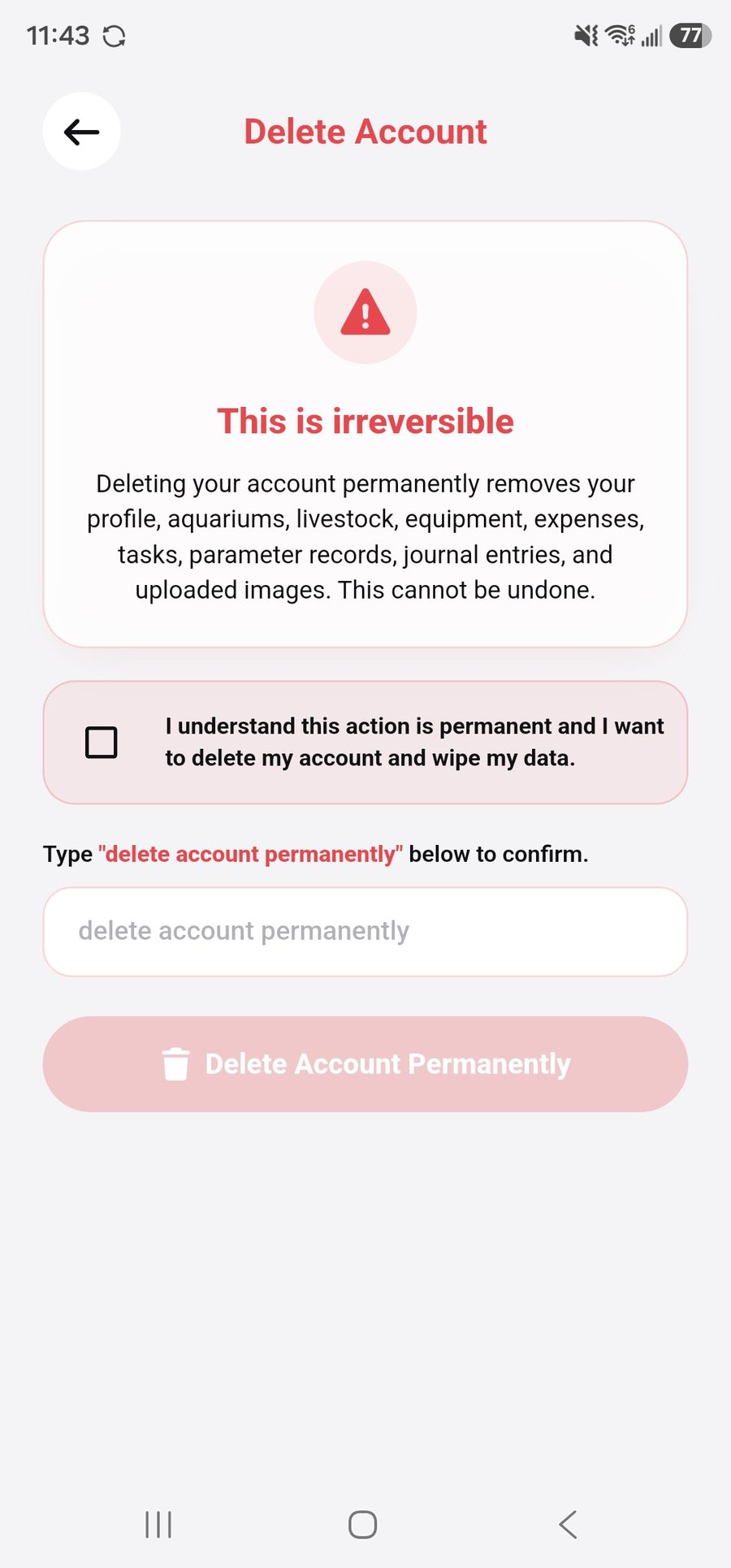
The Delete Account screen in the app