AquaElectron app icon
AquaElectron
by LeptonO · on the App Store & Google Play

Your entire aquarium,
in your pocket.

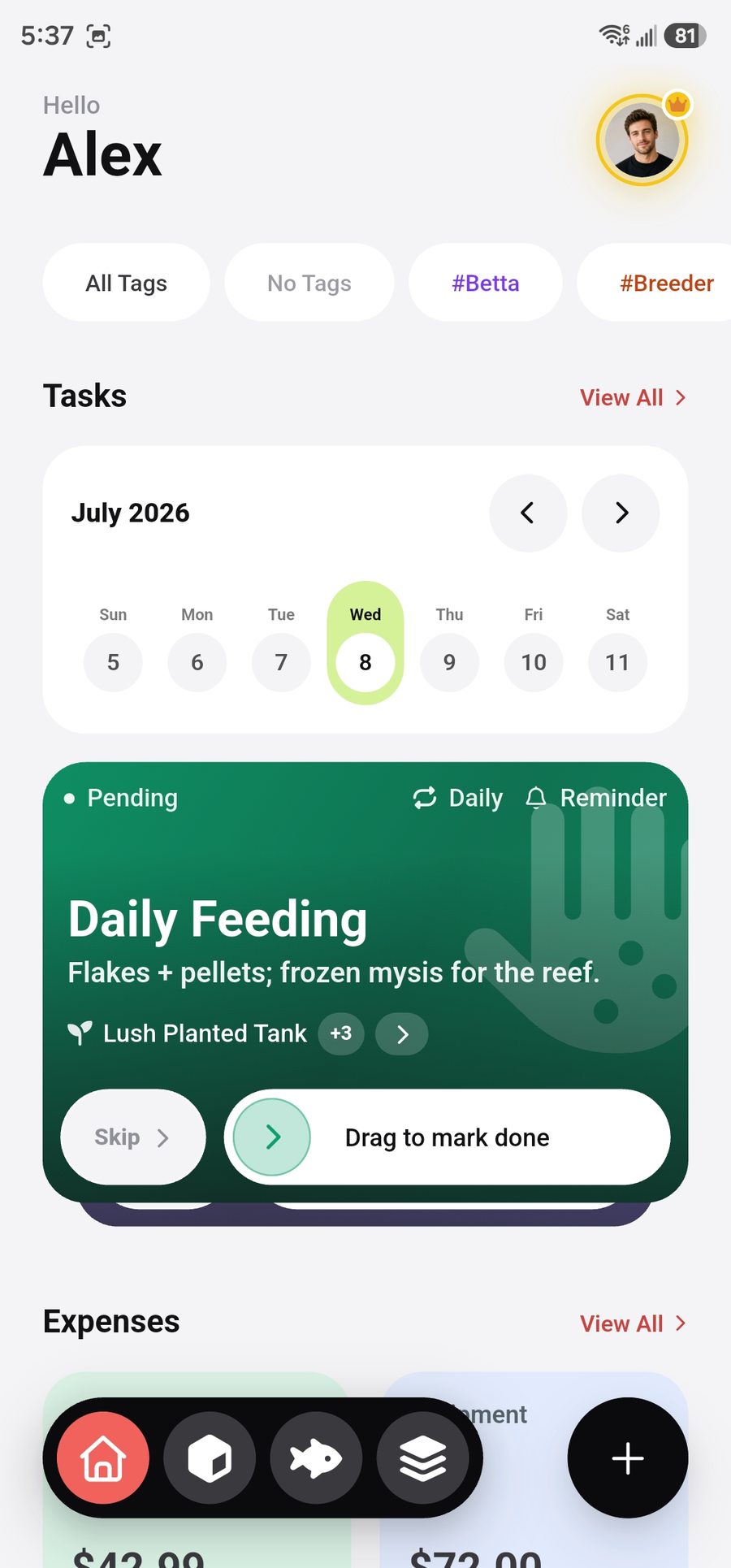
Track livestock growth, water parameters, expenses and your tank's full story — with analytics that spot problems before you do. Cloud-synced from day one, even on the free plan.


Get it on Google Play See how it works

Free forever plan · iOS & Android · No credit card required

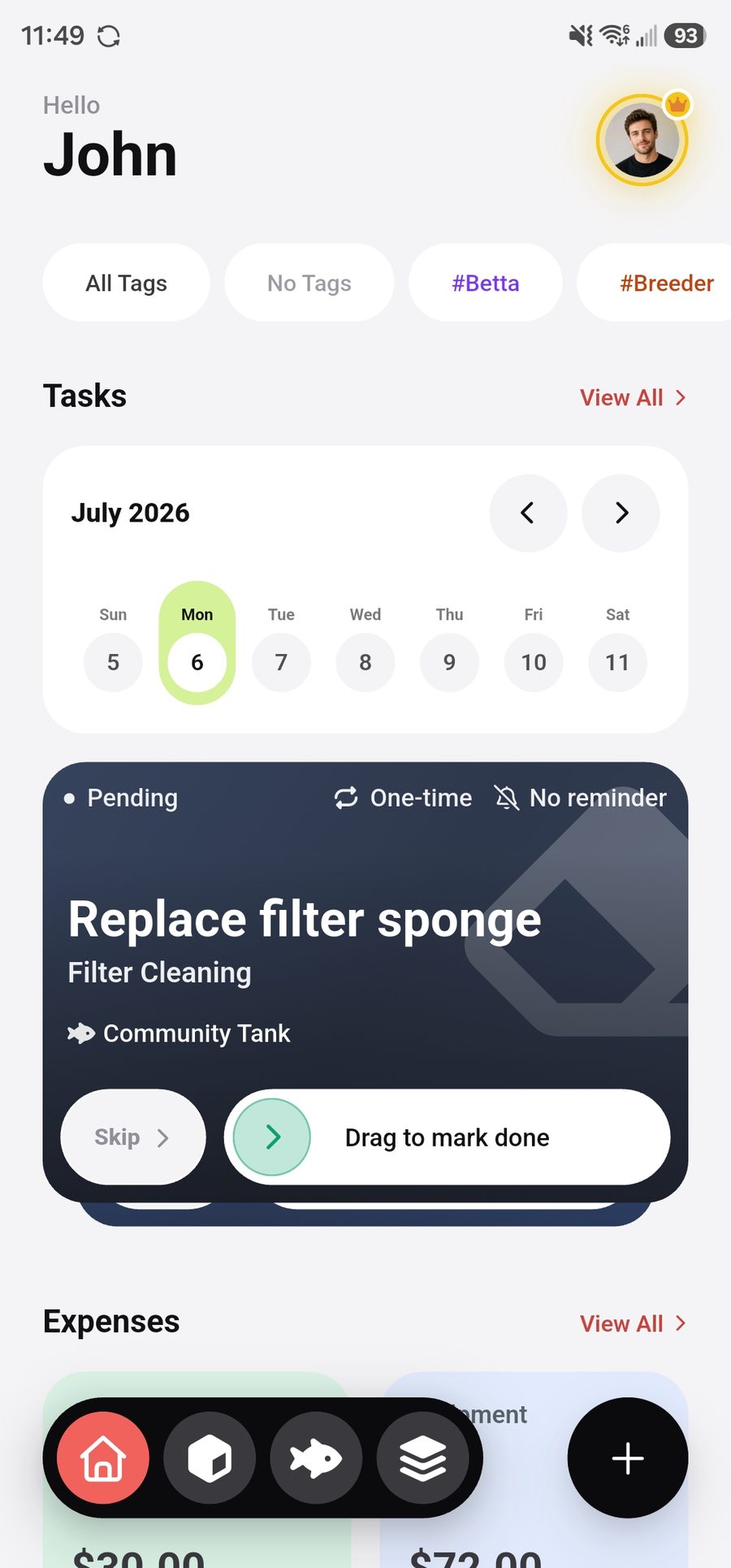
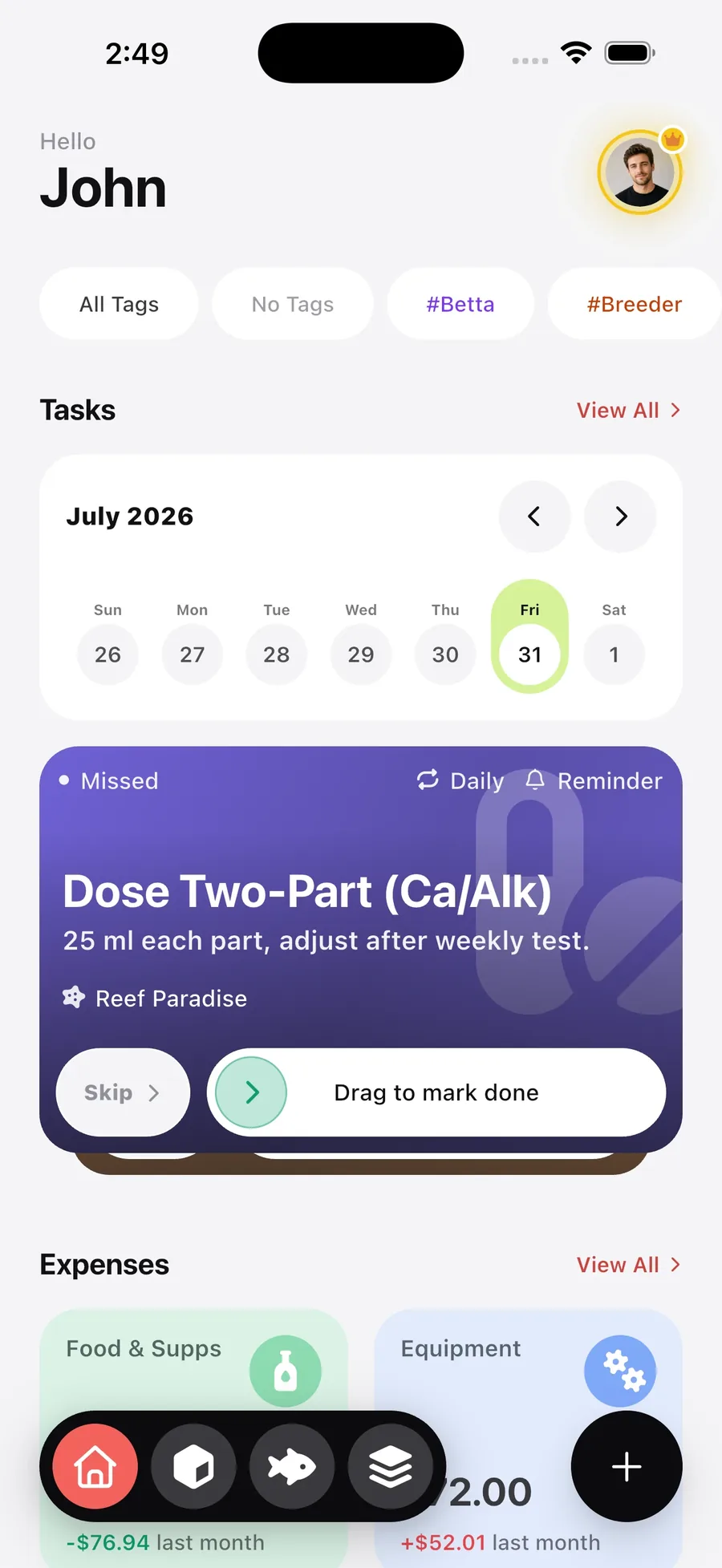
AquaElectron dashboard screen
App screenshot
Dashboard
assets/screenshots/dashboard.jpg
0+species in the database
100%cloud-synced, on every plan
2σanomaly detection on trends
7+things tracked per tank
Designed to disappear

One create button.
It always knows what you mean.

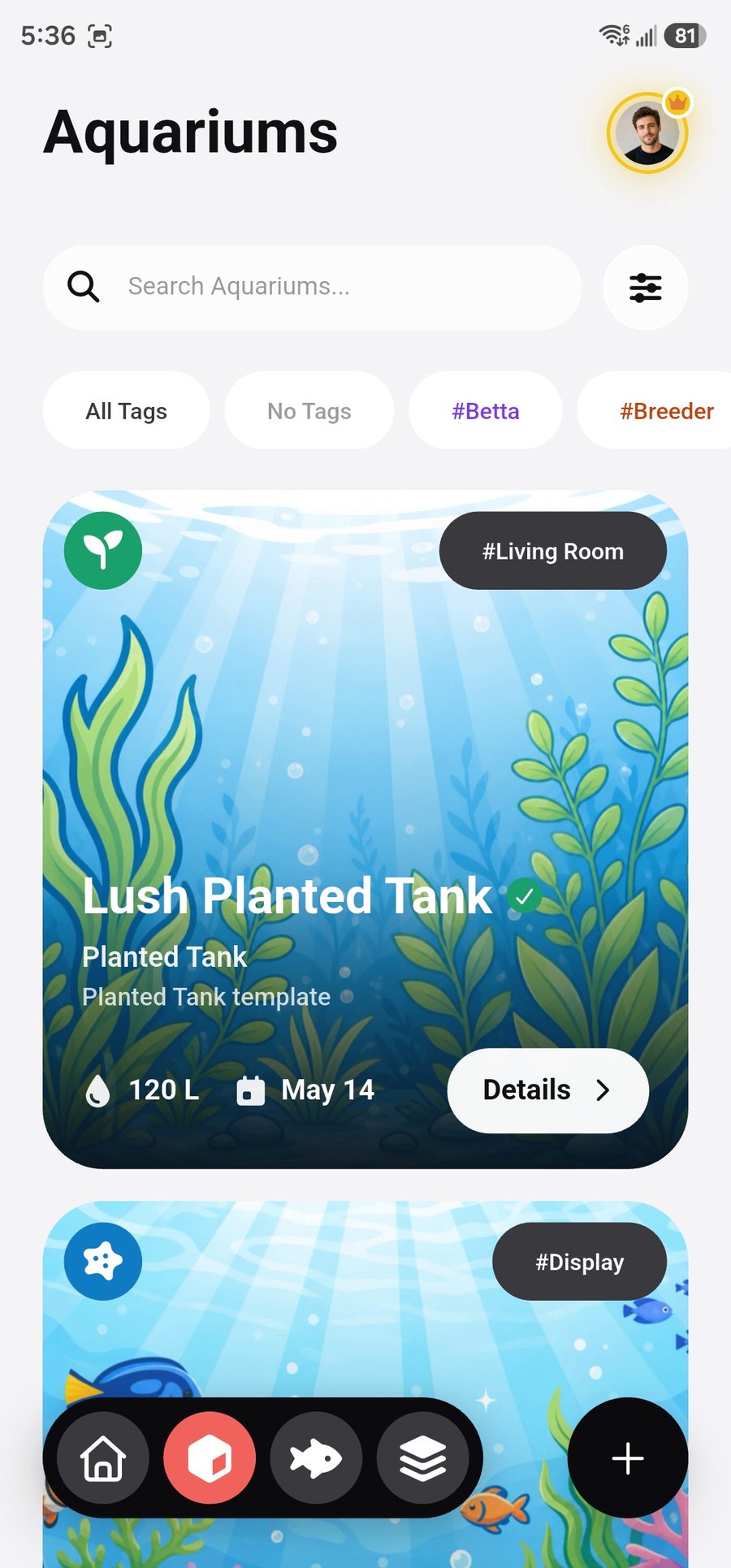
Parameter, journal and expense quick-adds are always one tap away, on every screen. Open the create button on an entity page — Aquariums, Livestock — and that page's own create action automatically stacks on top.

1
Context-aware creation

The quick-adds never move; the page you're on simply adds its own action to the top of the stack.

2
Flows that guide you

Illustrated empty states, step-by-step wizards and smart defaults walk you from first tank to full reef.

3
Instant feedback

Add a record and the dashboard refreshes immediately — no stale screens, no pull-to-refresh ritual.

Try it — tap a tab, then the + button
On Home, the quick-adds:
The same create button, exactly as it behaves in the app.
Everything, tracked

The full life of your tank, beautifully organized

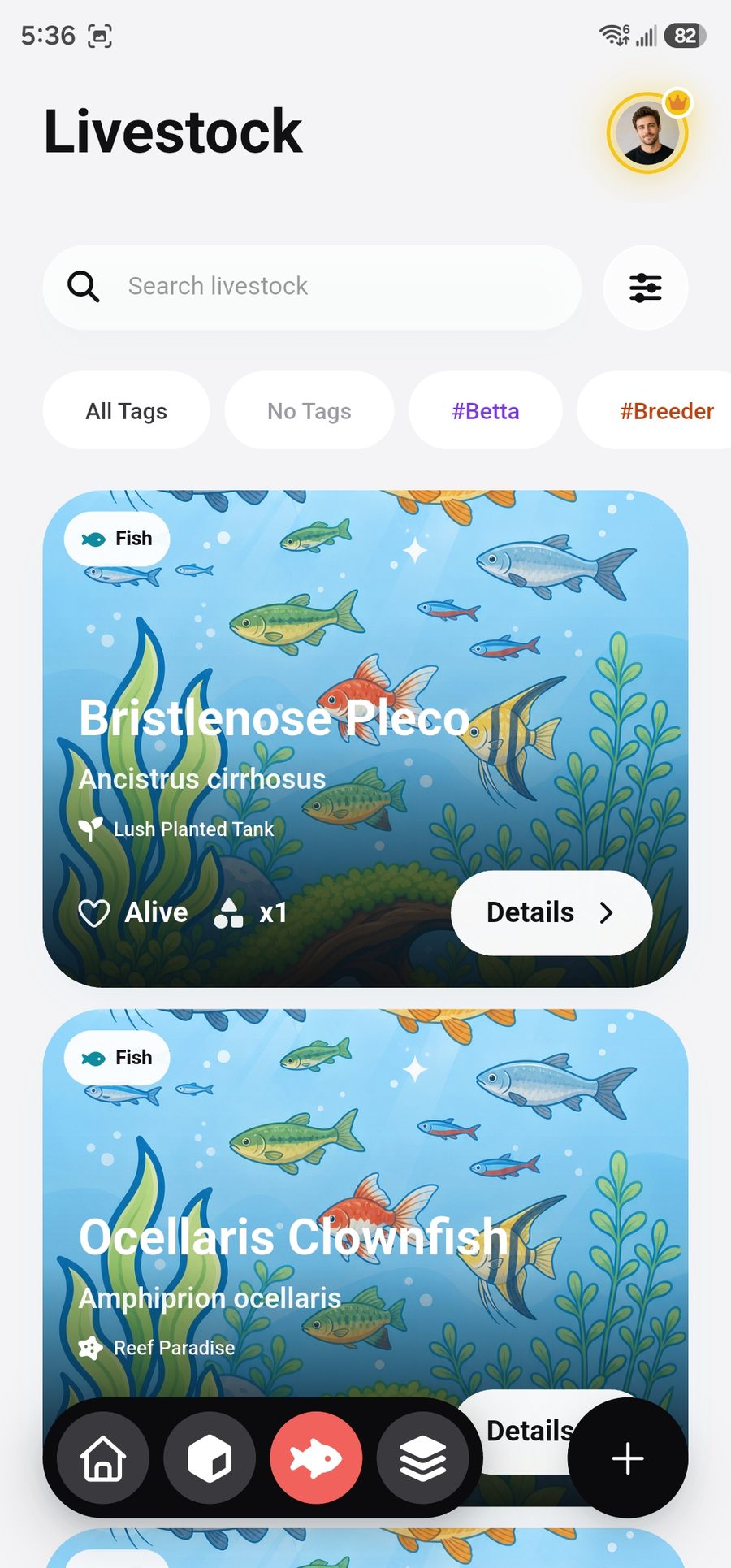
Four pillars of aquarium keeping — each with its own home, its own color, and charts that make sense of it all.

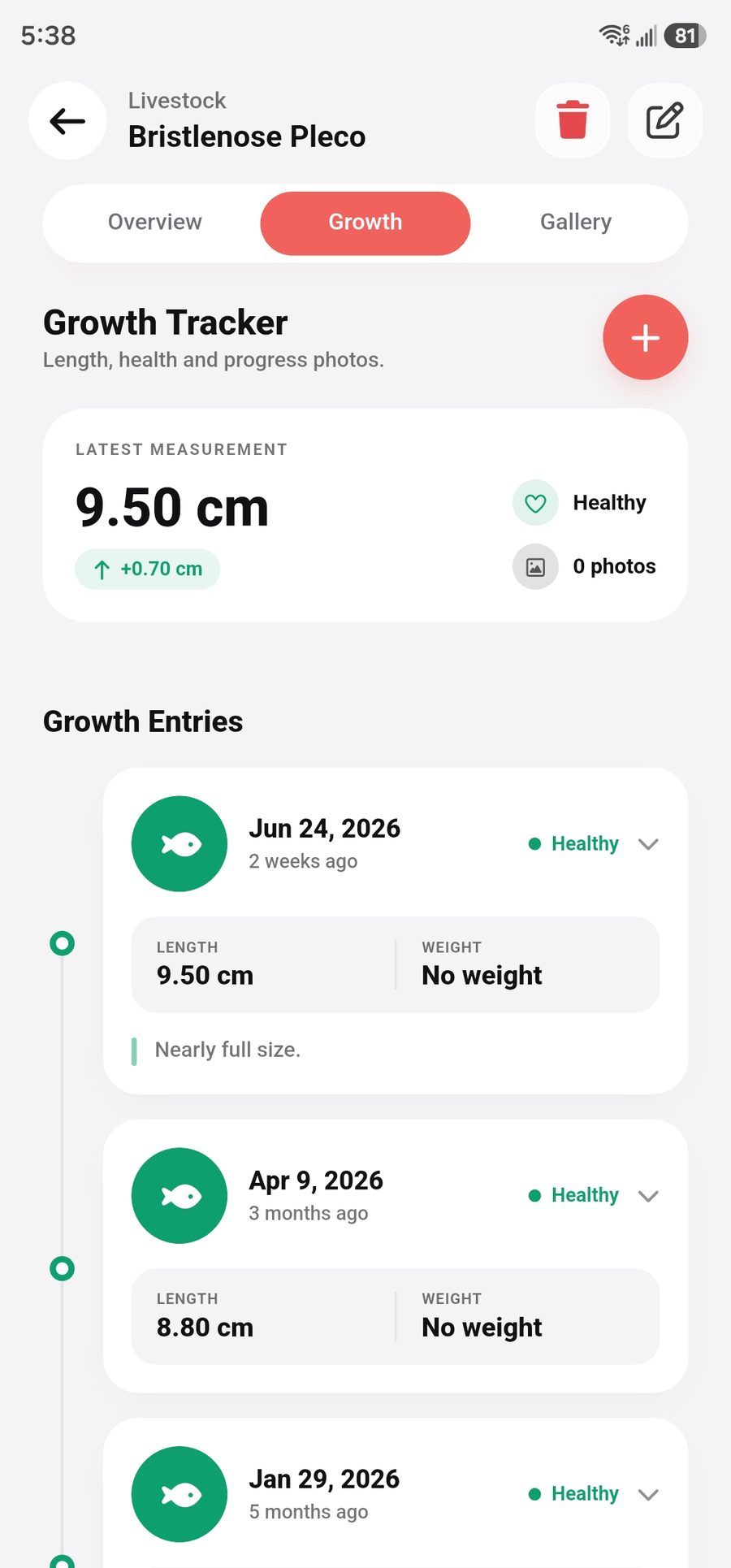
Livestock growth tracking

Log growth entries over time for every fish, coral and invert — with progress photos on Premium.

Livestock growth tracker screen
App screenshot
Growth tracker
assets/screenshots/livestock_growth_tracker.jpg

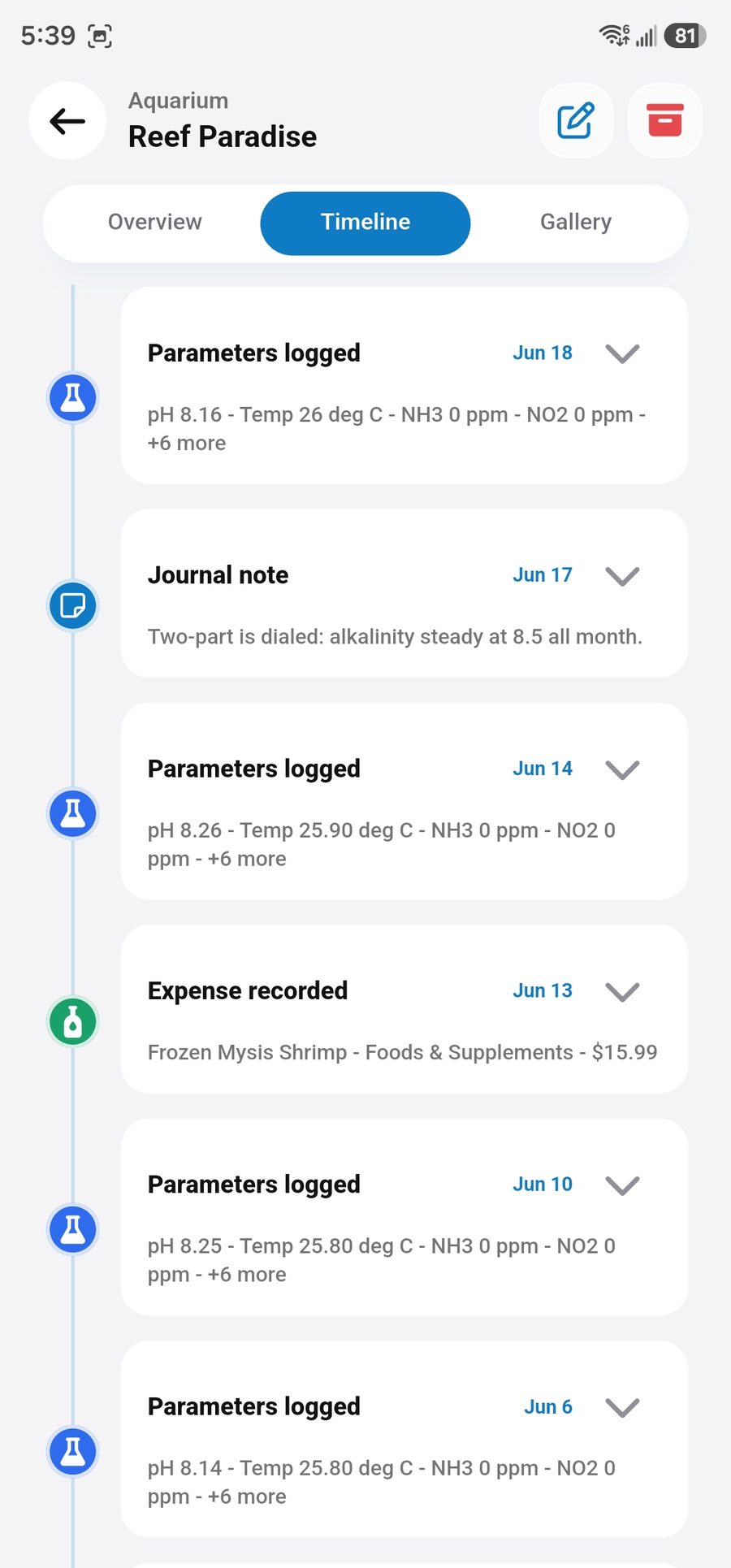
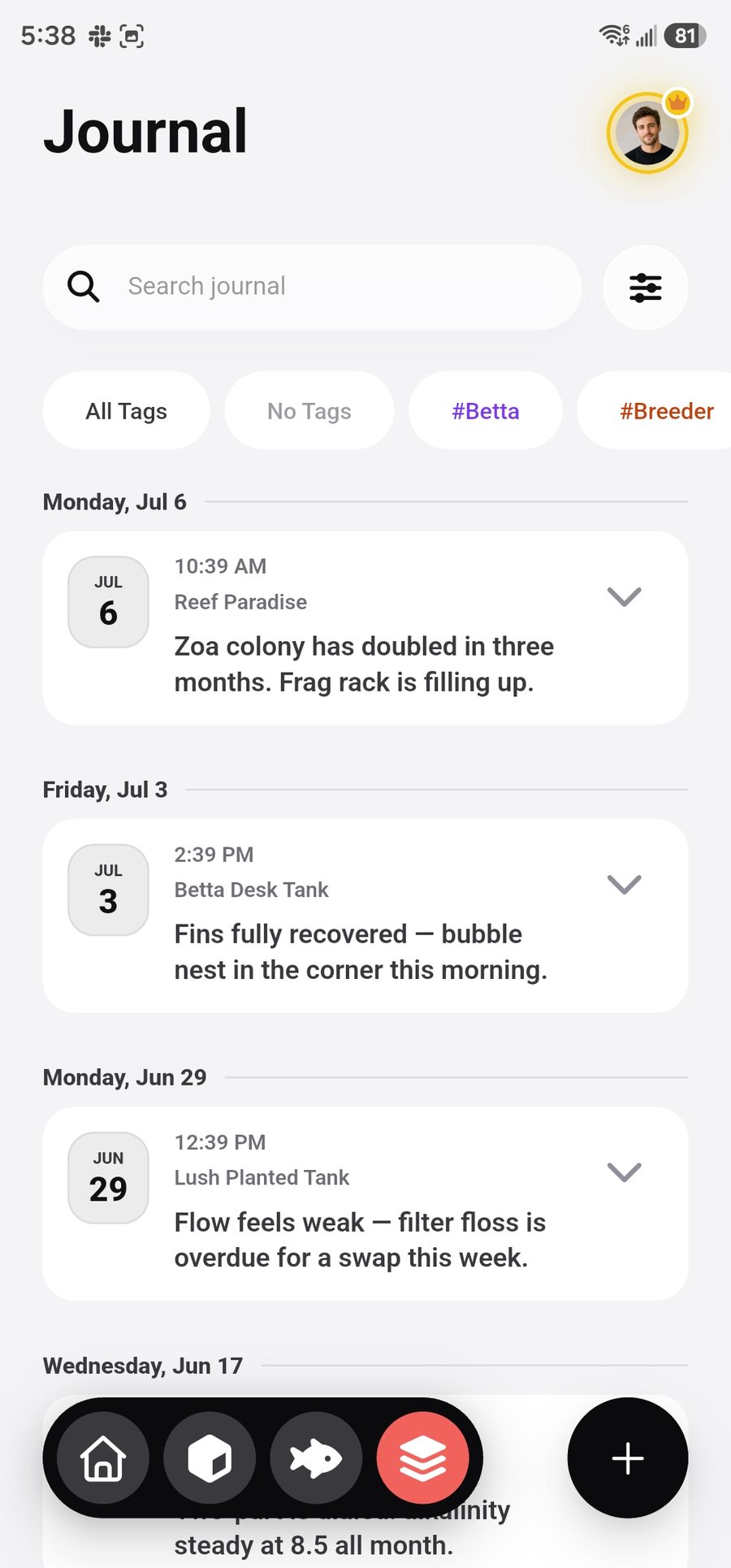
Aquarium timeline

A dated journal of notes and photos per tank. Every milestone, rescape and new arrival — your aquarium's whole story in one scroll.

Aquarium journal timeline screen
App screenshot
Journal timeline
assets/screenshots/aquarium_timeline.jpg

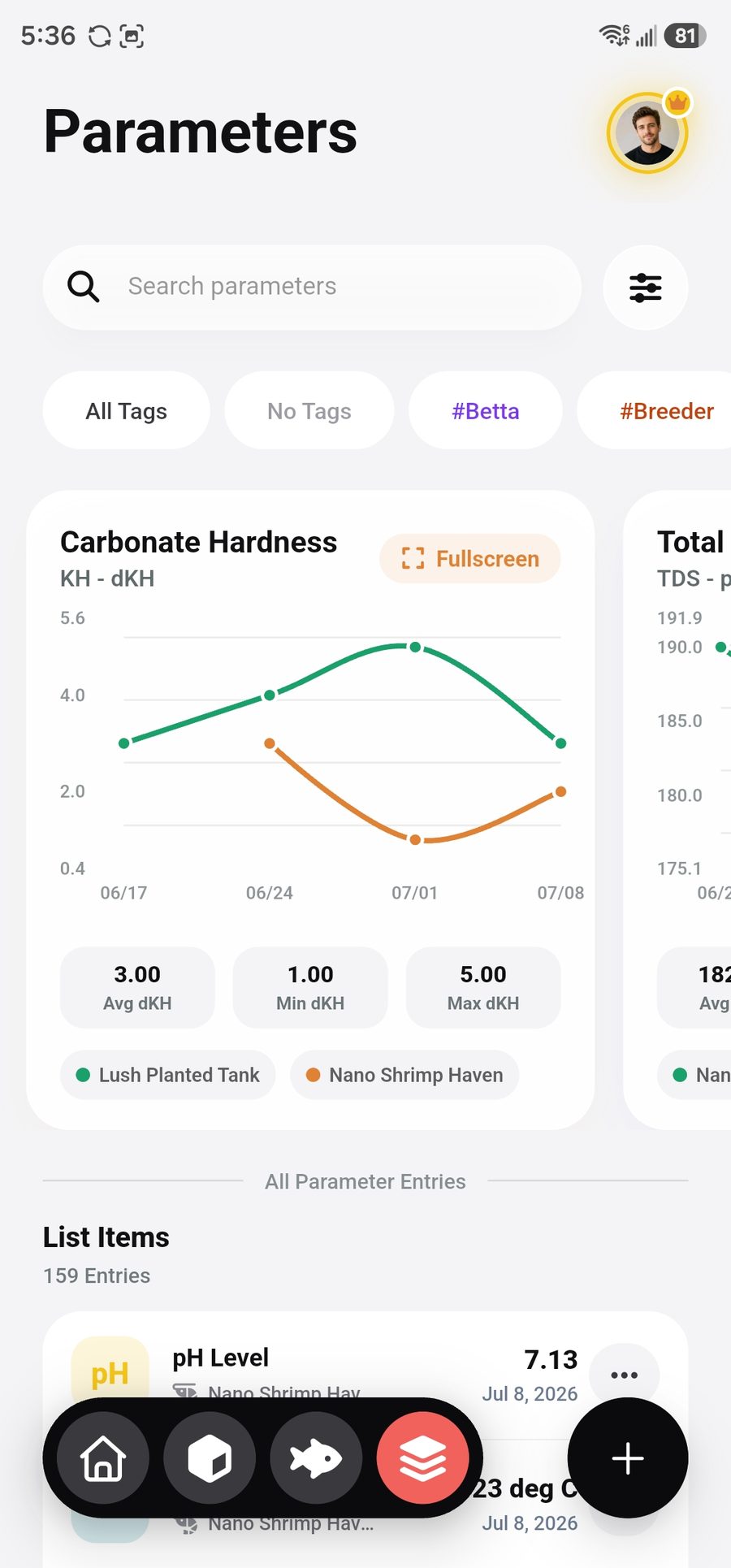
Advanced parameter tracking

Log against predefined or fully custom parameters. Trend charts per parameter, full-screen views, and history that goes back to day one.

Water parameter tracking screen
App screenshot
Parameter tracking
assets/screenshots/param_list_view.jpg

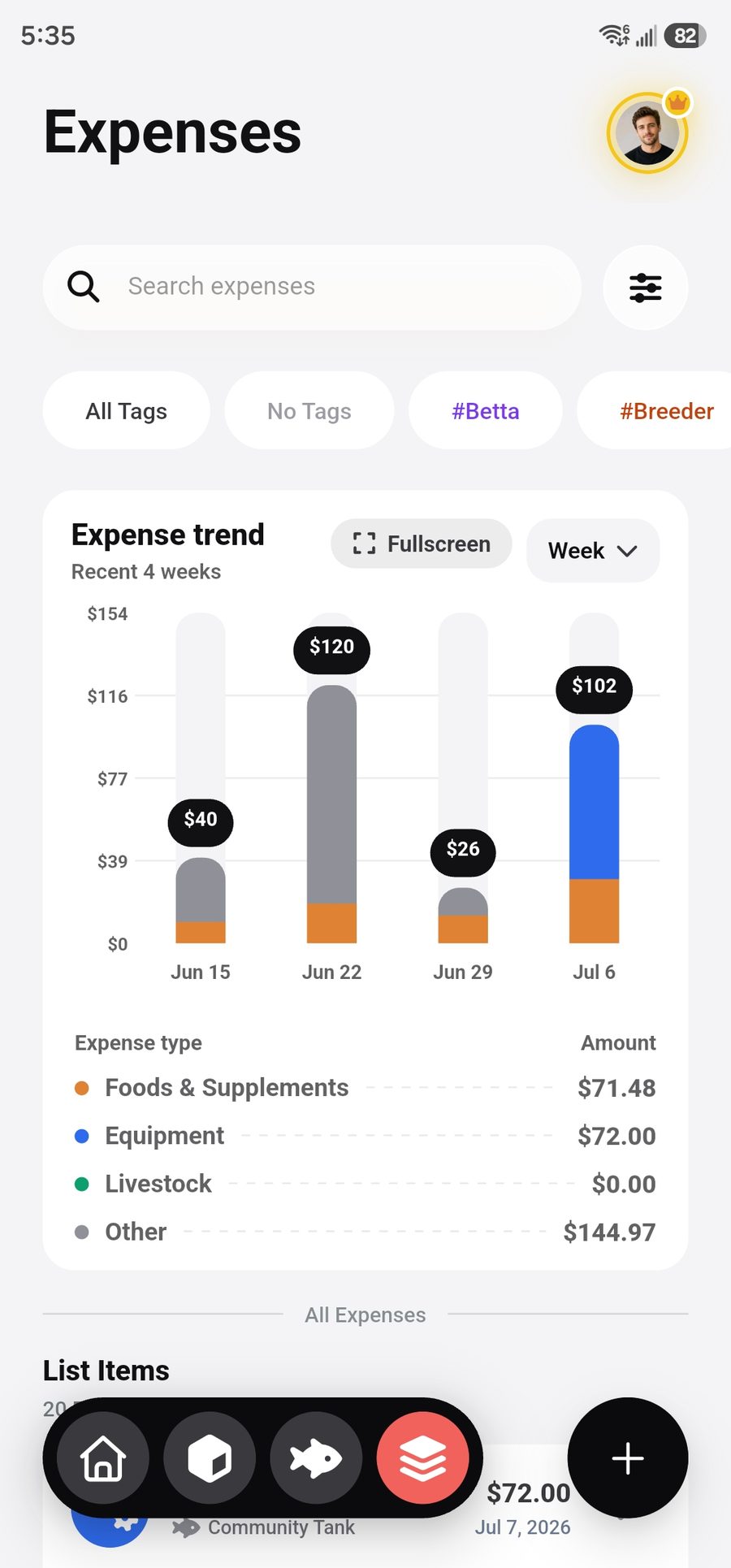
Expense tracking

Categorized spend — foods & supplements, equipment, livestock — with monthly trends on the dashboard. Know exactly what this hobby really costs.

Expense tracking screen
App screenshot
Expense tracking
assets/screenshots/expense_portrait.jpg
Advanced analytics

Your charts do the worrying for you

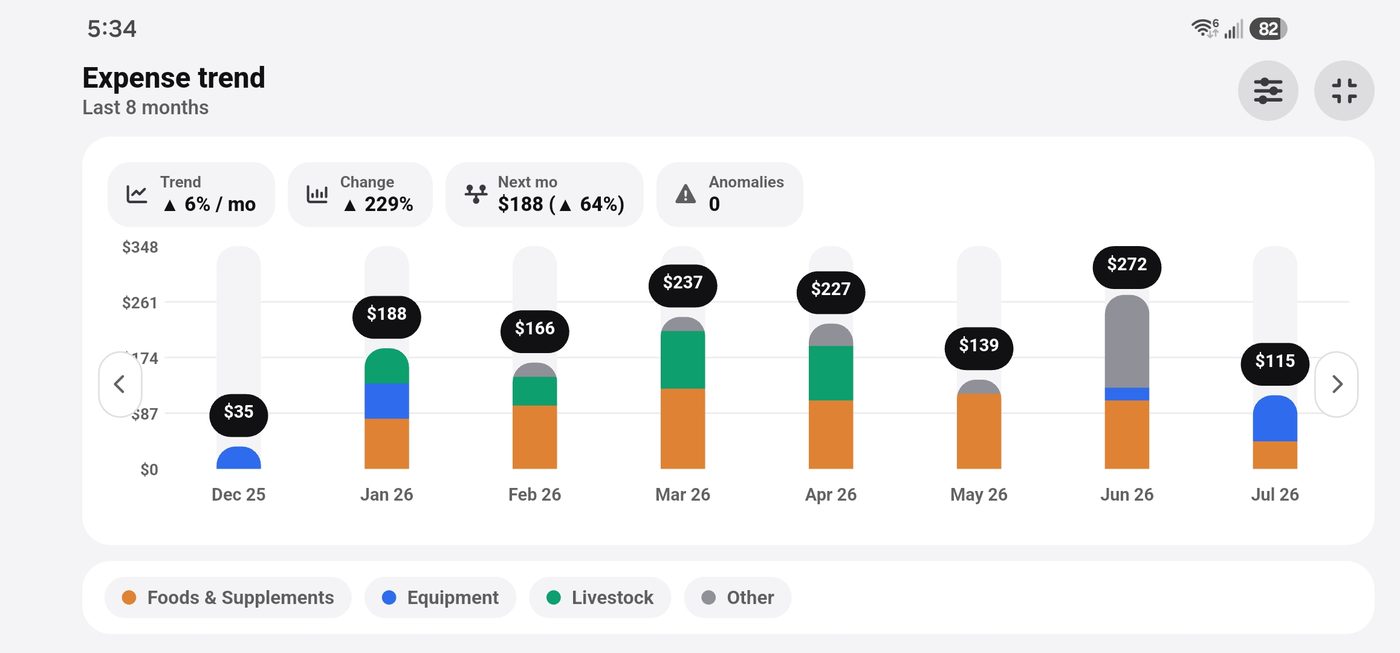
Parameter and expense charts start as scrollable cards right in your lists. Tap expand and the chart rotates into a full-screen landscape workspace — with filters at your side and real statistics on your readings.

1 Scroll chart cards in portrait 2 Tap expand on any chart 3 Analyze full-screen in landscape
Anomaly detection

Readings that deviate more than 2 standard deviations from your trend line get flagged instantly — catch a nitrate spike before your fish do.

Next-period forecast

A moving-average projection shows where each parameter is headed — and by how many percent it will move.

Trend lines

Least-squares regression over your history tells you whether things are drifting — long before it's visible to the eye.

Filters at your side

In landscape, a drawer slides in beside the chart — refine by date range, tags or type without ever leaving the view.

Scrollable expense trend chart card in the list, portrait
App screenshot
Chart cards in the list
assets/screenshots/expense_portrait.jpg
Portrait · scrollable overview
Full-screen landscape chart with filters, trend line, forecast and anomaly flags
App screenshot · Full-screen landscape chart with advanced analytics assets/screenshots/expense_chart_landscape.jpg
Landscape · full-screen advanced analytics
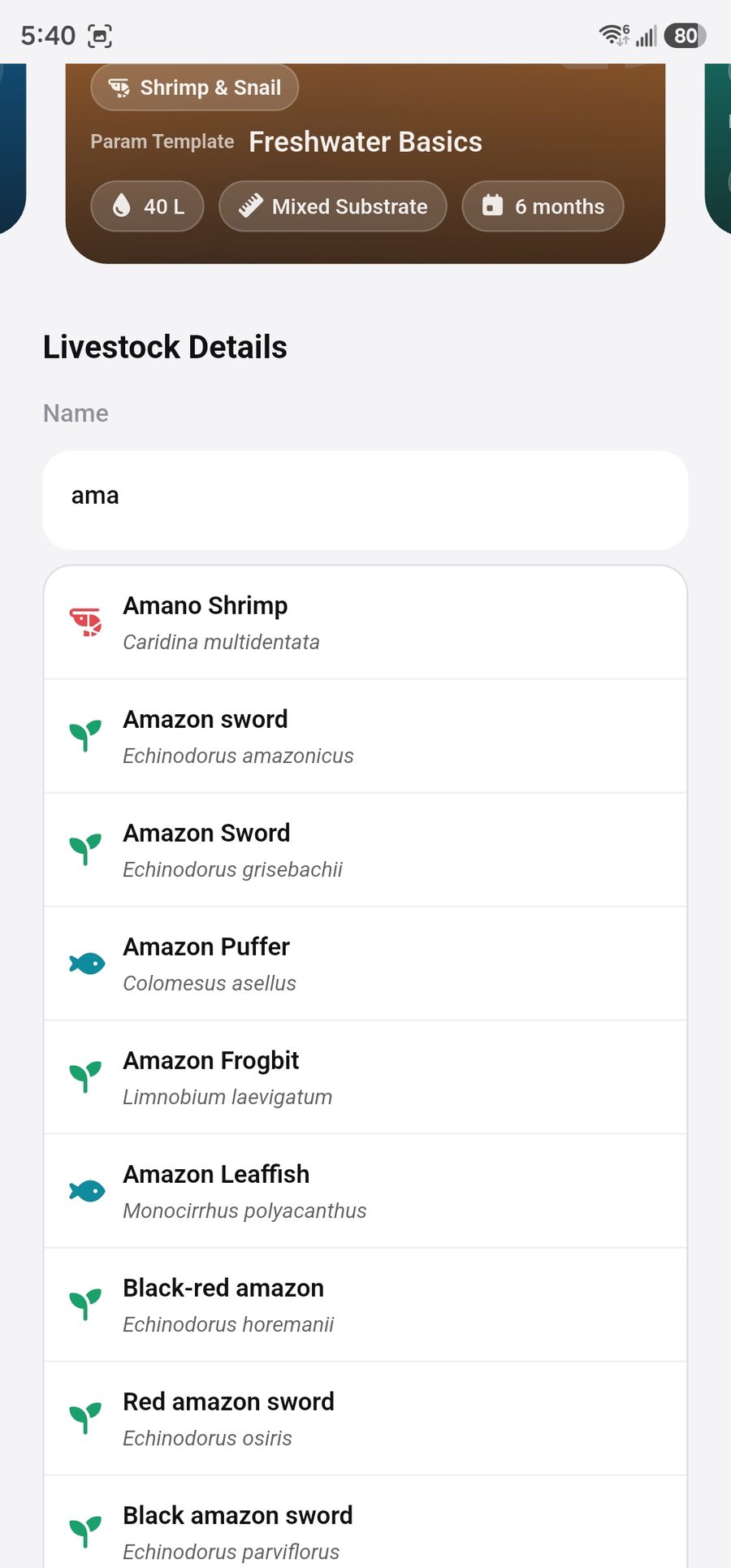
Species search autocomplete screen
App screenshot
Species search
assets/screenshots/species_list.jpg
Species database

1000+ species, one search away

Adding livestock starts with a ranked, instant search over a database of more than a thousand fish, corals, inverts and plants — scientific names included. Start typing, tap, done. No more "orange fish #3".

Ranked instant search

Results ordered by relevance as you type, narrowed by livestock type.

Freshwater to full reef

Fish, corals, invertebrates, plants and more across every kind of setup.

Never fear losing your data

Every record lives safely in the cloud — even on the free plan. Switch phones, reinstall, drop your phone in the sump — your tanks, logs and history are always there when you sign back in. An offline-friendly local cache keeps the app fast even with no signal.

Cloud sync on every plan
Offline-friendly cache
Your data stays private to your account
Excel / CSV export
Pricing

Start free. Go deep with Premium.

The free plan is a real plan — cloud sync included. Premium unlocks the full potential of your tanks.

Free Premium
Aquariums 1 Unlimited
Aquarium photos Up to 5 10 GB shared
Photos per fish Up to 2 10 GB shared
Total media storage Count-limited 10 GB shared
Growth log Up to 2 Unlimited
Journal photos
Growth photos
Custom tags
Data export
Ad-free
Premium is available as a monthly or yearly subscription — prices are shown in the app.
FAQ

Questions, answered

Is AquaElectron free to use?
Yes. The free plan includes one fully tracked aquarium — livestock, water parameters, tasks, expenses and a journal — with cloud sync included. Premium unlocks unlimited aquariums, photo features, custom tags and data export (see the comparison above).
Will I lose my data if I switch phones or reinstall?
No. Your records live in the cloud on every plan, including Free. Sign in on a new device and everything is there. An offline-friendly local cache keeps the app fast even without a connection.
What can I track with AquaElectron?
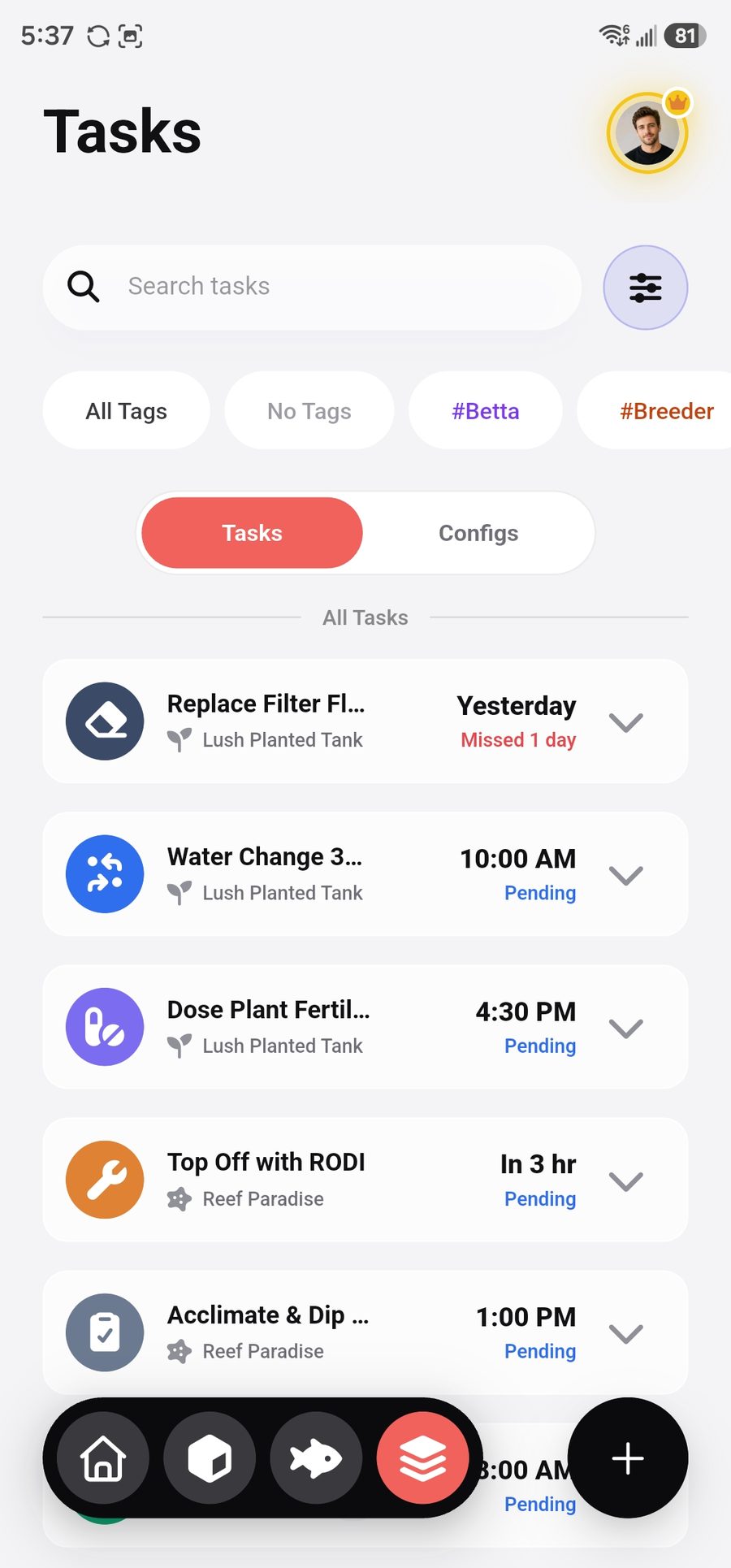
Aquariums, livestock (with growth logs), equipment, water parameters with trend charts, one-off and recurring maintenance tasks, categorized expenses, and a dated photo journal per tank. Livestock names autocomplete from a database of 1000+ species.
How do I cancel my Premium subscription?
Subscriptions are billed and managed by the Apple App Store or Google Play, not by us. Cancel anytime in your store account's subscription settings — cancellation stops future renewals.
How do I delete my account or my data?
You can permanently delete your account and all data from inside the app: open Profile, scroll down, tap Delete Account, confirm the warning and type the confirmation phrase. Deletion is immediate and irreversible. See the full step-by-step guide on our account & data deletion page.
🐠

Your tanks deserve better than a notes app

Join aquarists who track smarter. Set up your first tank in under two minutes — free.

Get it on Google Play